OPEN SOURCE•SELF-HOSTED•MODERN

Your home server,reimagined.

HomiOS is a self-hosted, beautifully designed browser operating system for your home server. Keep your apps, files, and services in one place with a clean, modern interface.

View on GitHub
curl -fsSL https://get.homios.dev | bash
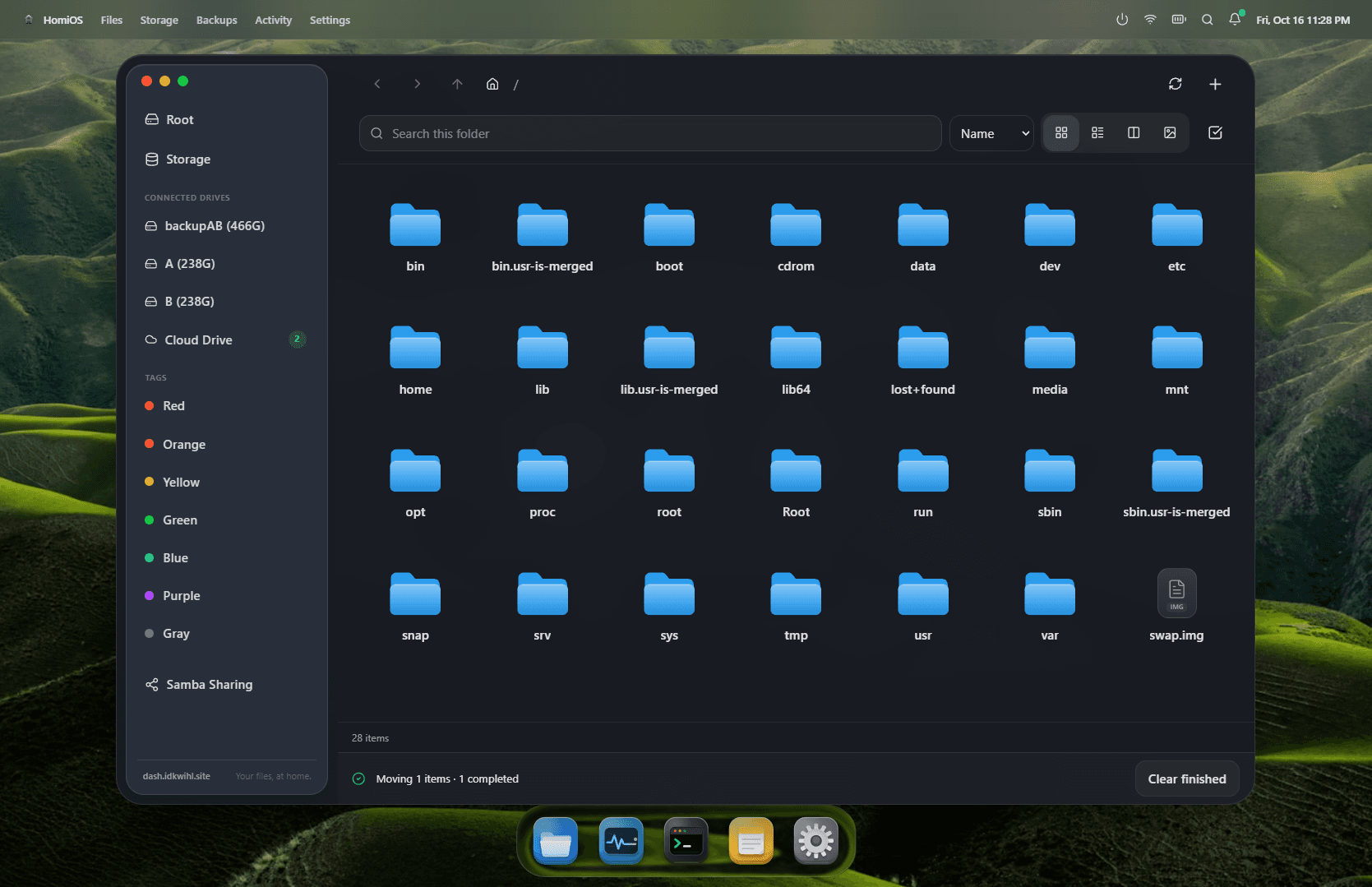
homios.local/files
HomiOS File Manager & Storage Browser
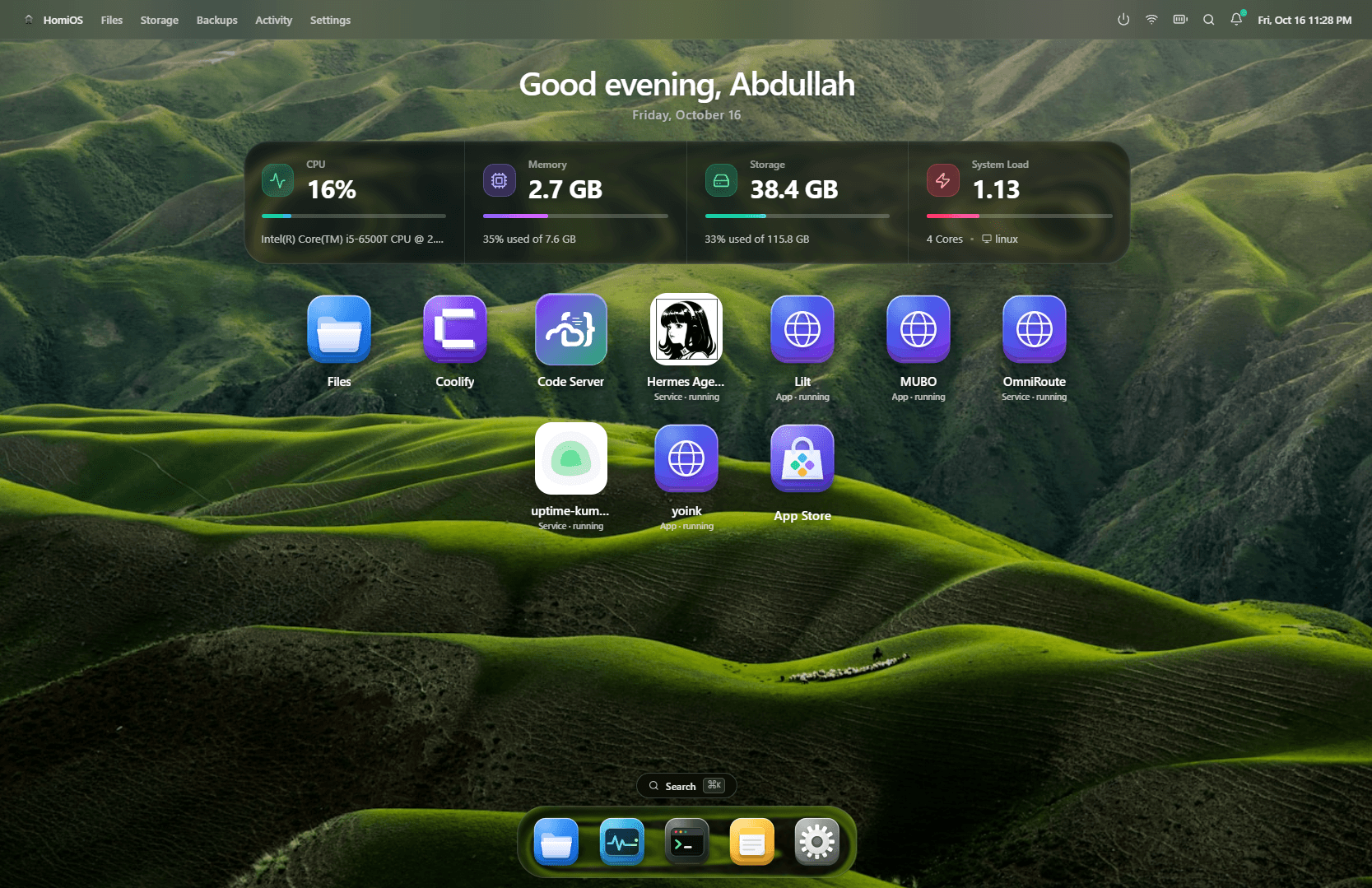
homios.local
HomiOS Home Server Operating System Dashboard
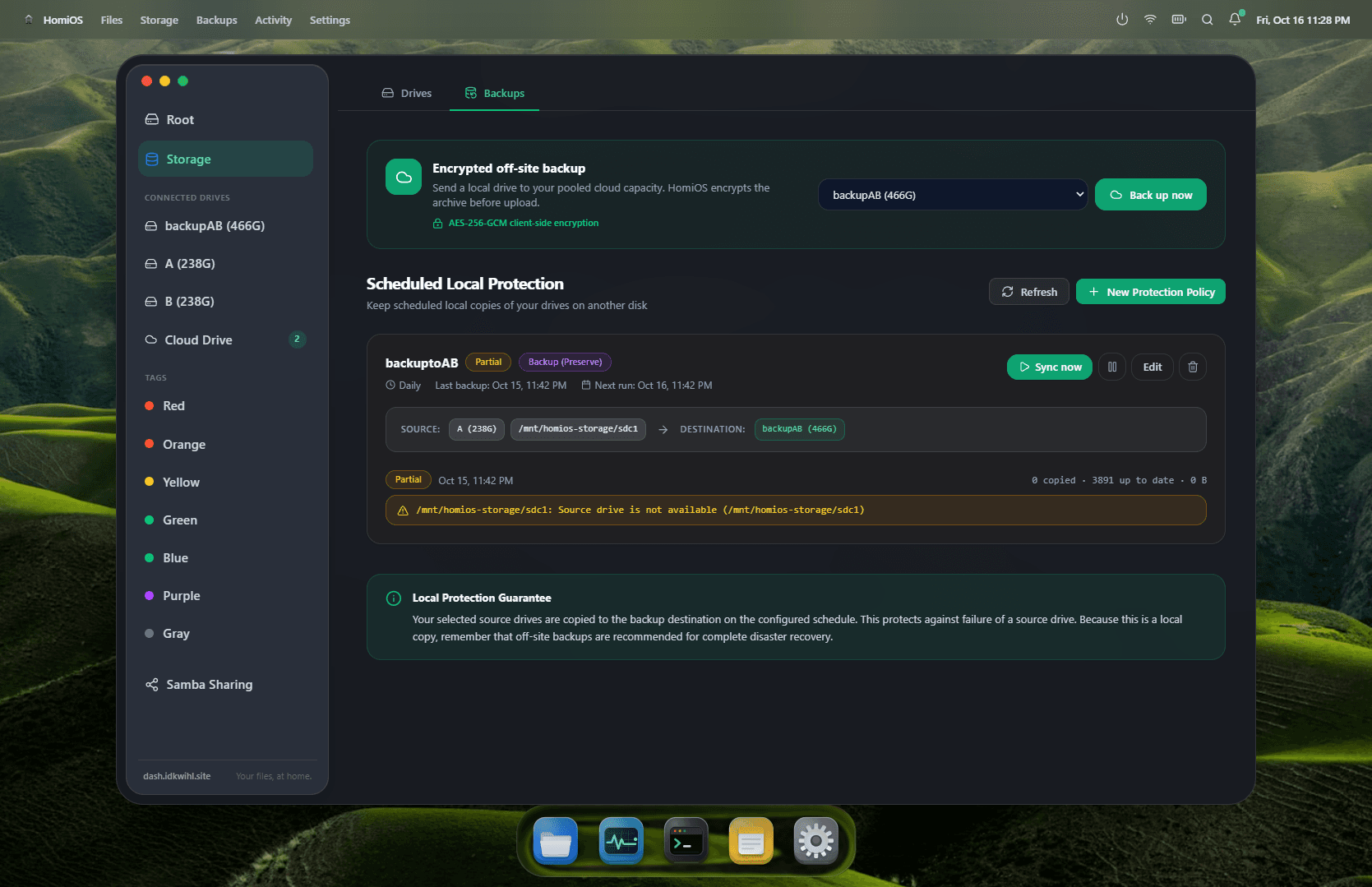
homios.local/backups
HomiOS Encrypted Off-site Backups & Protection
Dashboard & Apps • Interactive HomiOS OS Preview
Core Philosophy

Your hardware is good enough.

“Your homie doesn't judge what hardware you've got. Neither does HomiOS.”

You shouldn't need a purpose-built rack server, matching enterprise drives, or a four-figure NAS just to build a useful home server.

Have an old laptop?

Built-in battery acts as an uninterruptible power supply (UPS). Built-in screen for emergency debugging. Perfect low-power 24/7 home server.

A cheap mini PC?

Intel N100 or used office desktop? Silent, compact, and sips single-digit watts while running Docker containers and file streaming.

Mismatched random drives?

A SATA HDD, two random USB SSDs, and an NVMe boot drive. HomiOS handles mismatched capacities without forcing traditional rigid RAID arrays.

The Abstraction Layer

HomiOS doesn't hide Linux. It abstracts the parts you shouldn't have to manage manually.

Instead of digging through man pages, cryptic filesystem config files, and systemd services, HomiOS turns the raw power of Linux into four straightforward visual actions.

The Four HomiOS Verbs
🔌MountUUID persistent
📡Share1-click Samba
🛡️ProtectScheduled sync
📂BrowseFinder UI
Drive Management

Storage without the storage-admin work.

HomiOS discovers connected storage and lets you manage it visually. USB SSDs, SATA HDDs, NVMe drives, and Linux block storage live together without forcing you into rigid arrays.

Persistent UUID Identity

Linux often reorders drive letters like /dev/sdb to /dev/sdc after a reboot or USB re-plug. HomiOS tracks drives by persistent filesystem UUIDs so protection policies and mount points never get mixed up.

Detected Connected Drives (4)
Auto-mount enabled

NVMe Boot & Fast Storage

UUID: e4f8-9a21-41bc
NVMe SSD•/mnt/nvme-pool
184 GB (36%)
Total: 500 GB
Healthy

Crucial X6 Portable

UUID: 98bb-3312-70df
USB 3.2 SSD•/mnt/media-backup
640 GB (64%)
Total: 1.0 TB
Syncing

Seagate Barracuda

UUID: 55a1-77fe-29da
SATA 3.5 HDD•/mnt/archive
1.2 TB (60%)
Total: 2.0 TB
Healthy

SanDisk Ultra Fit

UUID: 12ca-88be-9011
USB Flash•/mnt/scratch-usb
42 GB (32%)
Total: 128 GB
At Risk
Local Protection Engine

Protect the drives that matter.

Not every home server needs complex RAID arrays. When you have two mismatched USB SSDs and a SATA HDD, HomiOS provides scheduled local protection directly between drives.

1. Backup (Additive)Recommended

Copies source data to another drive while preserving existing files. Deleting a file from the source does never delete its destination copy.

2. Mirror (Replica)Exact Sync

Maintains an exact 1:1 replica of the source drive. File updates and deletions are propagated automatically to the destination drive.

3. Versioned BackupTime Machine

Protects current data while retaining old replaced and deleted versions under HomiOS-managed version storage with configurable retention pruning.

Engineered for Interrupted, Imperfect Hardware

Atomic Temporary Files & Safe Verification

Home servers aren't air-conditioned datacenters: USB cables get bumped, disks fill up, machines reboot. HomiOS writes to temporary files first, verifies them, then performs an atomic rename. A failed copy will never corrupt destination files.

Atomic Pipeline:
Source → .homios-partial → Verify → Atomic Rename
homios.local/backups
HomiOS Local Protection and Backups
Local Network Sharing

Samba without editing smb.conf

Select what you want to share, configure user access, and let HomiOS handle the underlying Linux Samba daemons and permissions automatically.

1
Plug in drive
USB, SATA, or NVMe
2
Mount in UI
1-click persistent mount
3
Create share
Configure credentials
4
Access anywhere
Mac, Windows, iOS, TV

Windows Explorer & Mac Finder

Mount your home server as a network drive. Drag and drop high-res 4K videos or project folders as if they were local.

iOS & Android Files

Connect via the native iOS Files app or Android file manager to upload camera roll photos or backup personal files on WiFi.

Smart TVs & Infuse/VLC

Stream movies, home footage, and music collections straight to your living room Apple TV, Android TV, or Kodi setup.

Real-Time Telemetry & Apps

More than a storage dashboard.

HomiOS is designed as an actual home-server environment. Live system telemetry is actionable rather than decorative, keeping you informed of resource demands and container health.

CPU LoadNormal
27%
Intel Core i5-6500T @ 2.5GHz
Memory35% used
2.7 GB
of 7.6 GB Total RAM
Root Storage33% used
38.4 GB
of 115.8 GB NVMe
System Load4 Cores
1.30
Linux Kernel 6.8 · systemd

One-Click Self-Hosted Apps

Easily launch containers or install your favorite services.

Docker Native
🟣

Coolify

DevOps

Self-hosted Heroku / Vercel alternative

💻

Code Server

Developer

VS Code in your browser on your server

🏠

Home Assistant

Smart Home

Open-source local home automation

🤖

Hermes Agent

AI Service

Local AI agent & LLM services

🟢

Uptime Kuma

Monitoring

Self-hosted monitoring tool & status pages

📥

Yoink

Utility

High-speed media and stream downloader

Self-Host Anywhere

Turn your machine into HomiOS in 60 seconds.

Run the automated installation script on any freshly installed or existing Ubuntu, Debian, or Raspberry Pi OS machine.

$curl -fsSL https://get.homios.dev | bash
Non-destructive. Installs systemd services & lightweight daemon.
Supported Distros

Ubuntu 22.04+, Debian 12+, Raspberry Pi OS 64-bit, Fedora.

Hardware Minimums

64-bit CPU, 2 GB RAM, 10 GB root partition space.

Networking

Standard port 80/443 for web interface, port 445 for Samba.

Documentation & Architecture FAQ

Frequently asked questions.

Honest answers about HomiOS's design principles, storage model, and recovery guarantees.

No. HomiOS local protection is explicitly not RAID and not an off-site backup. A local copy cannot protect you from catastrophic physical damage, fire, or theft. HomiOS describes these features as local protection rather than pretending that a second local disk makes your data indestructible.